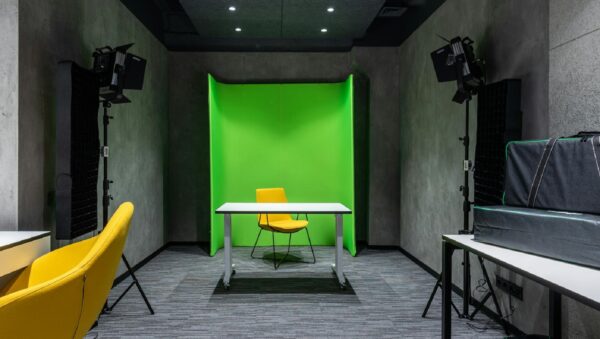
Using a green screen sounds simple at first. Set it up, light it, film your content, and replace the background later. But green screen work depends on one big thing, consistency. The lighting needs to stay steady, the room temperature should not shift too much, and the space should stay quiet and controlled. That is not always easy in winter, especially when indoor heating starts kicking in at full blast.
For anyone using a green screen studio rental in Cincinnati during the colder months, indoor heat can sneak in as a hidden problem. You may not see it right away, but it can mess with colors, cause fluttering motions behind your subject, and even drag down the sound quality on your audio takes. Let’s look at how that happens and what to watch for.
How Indoor Heat Affects Green Screen Backgrounds
Heat changes air movement, which affects how light behaves. In a closed studio space, things heat up fast once the system starts humming, especially if the room was chilly to begin with. That quick change creates inconsistencies you might not catch right away.
• Warm air rising or moving sideways can ripple the green fabric, even if it is tight and smooth.
• When lights warm up the screen unevenly, it can shift the tone of the green in certain spots.
• Heated air can blur areas slightly, especially near the floor or close to vent lines.
Any of these small changes might not seem like much in the moment. But when we go to key out the background later, those uneven colors or light patches can trip up the software and create jagged edges or hollow spots around your subject.
Spotting and Avoiding Heat-Based Lighting Problems
Catching these issues early is better than trying to fix them later. During winter shoots, we make a habit of scanning the screen first before rolling.
• Look for flickering or color shifts on the edges or center of the green screen.
• Check for shadows that were not there at the start; heated air can make lights dance slightly.
• Watch for small waves or movement across the screen, even when no one is near it.
Some heaters affect the power in the room too. That can mess with softboxes or dimmable LED lights, making their intensity flutter without warning. That is why we double-check lighting setups during long winter sessions, especially after the room has been warm for a while. If something looks off during playback, it probably is.
To help avoid trouble, we often pause and review the footage on-site before wrapping up a session. This way, any heat-induced lighting issues can be addressed right away.
Keeping Audio Clean When Heaters Are Running
Heat does not only mess with visuals. Most heating systems bring background noise with them. That drone or hum that sinks into your takes can be hard to scrub out later, especially when recording a jingle or tight radio spot with lots of vocal detail.
• Baseboard heaters and forced air systems can hum, buzz, or click.
• Older thermostats may kick on louder than you would expect mid-recording.
• The shift from a quiet, cold start to a warm, settled room can change how sound bounces around the space.
We pay close attention to where heaters are placed and when they are expected to run. Sometimes letting the room fully warm up, then cutting the heat while recording, gives us a quieter take. We always listen for interference during our soundchecks, not just before we roll.
In addition, talking with your team about the best times to break and let the room reheat can keep everyone on task, comfortable, and focused on the project.
Winter Studio Tips: Comfort Without Compromise
We get it, no one wants to freeze during a shoot. But staying warm does not have to come at the cost of clean footage or clear sound. A few small adjustments help keep everyone comfortable without getting in the way.
• Warm up the room at least 30 minutes ahead, then power down loud heating to reduce sound issues.
• Space heaters should stay behind sound panels or kept far from the green screen fabric.
• Use blankets, heated vests, or warming pads while waiting, so talent stays relaxed without kicking on the furnace every 10 minutes.
We always check layout and gear placement a day ahead when the forecast looks extra cold. That gives us time to see if warm air will flow too close to lights, fabrics, or mics. These tweaks do not take long but make a big impact.
Getting used to the quirks of a particular studio also helps. Sometimes, a small move away from an air vent or a new arrangement of softboxes is all it takes to balance comfort and production quality.
Why Preparation Beats Fixing It in Post
One ripple on a green screen may seem minor, but once it is baked into your footage, it is tough to clean up later. If it hits a section around your speaker’s hair or clothing, the fix can take hours, and still look wrong.
• Unbalanced lighting from heating vents can create hot spots that will not key out cleanly.
• Warping caused by fast heating can distort the background, even if only for a few frames.
• Noisy air systems can bury soft parts of a jingle or voiceover under background hums.
Instead of spending extra time in post-production trying to fix what heat damaged, we always recommend running your cameras, lights, and mics in the actual setup before the first talent steps in. It is a small added step that saves a lot later on.
Double-checking your background, camera angle, and light positioning before you start prevents most surprises. It also helps to monitor the room temperature and reset if it fluctuates, especially when doors open or the system cycles on and off.
Stay Sharp in Cold-Weather Studio Setups
Winter can bring its own set of challenges, especially indoors where heaters change the whole environment. If we are not careful, those simple temperature changes can throw off an entire shoot.
• Air movement from heating vents can ripple your green screen or shift lighting.
• Heating units can hum or rattle loud enough to ruin audio.
• Lighting needs more attention in winter because softboxes and LEDs behave differently in warm, closed spaces.
The trick is staying one step ahead. When we plan around the space and the season, a green screen studio rental in Cincinnati gives us everything we need to stay productive and create something polished, even when it is icy outside. Winter does not have to slow us down. It just means thinking a little differently before we hit record.
Take some time to get everyone on the same page before rolling, talk over any changes you have noticed in how the space behaves, and check in if any crew notice something off on monitors or headsets. This teamwork helps everyone prepare for surprises.
Winter shoots can be challenging, but the right space truly makes all the difference. We keep our setup steady, warm, and quiet so you can focus on capturing your best take. For flexibility without the stress, our green screen studio rental in Cincinnati is specially designed to handle winter’s unique demands and keep your production on track. At Killerspots Agency, we make it simple to keep your shoot running smoothly. Call us at 513-270-2500 to reserve your time.